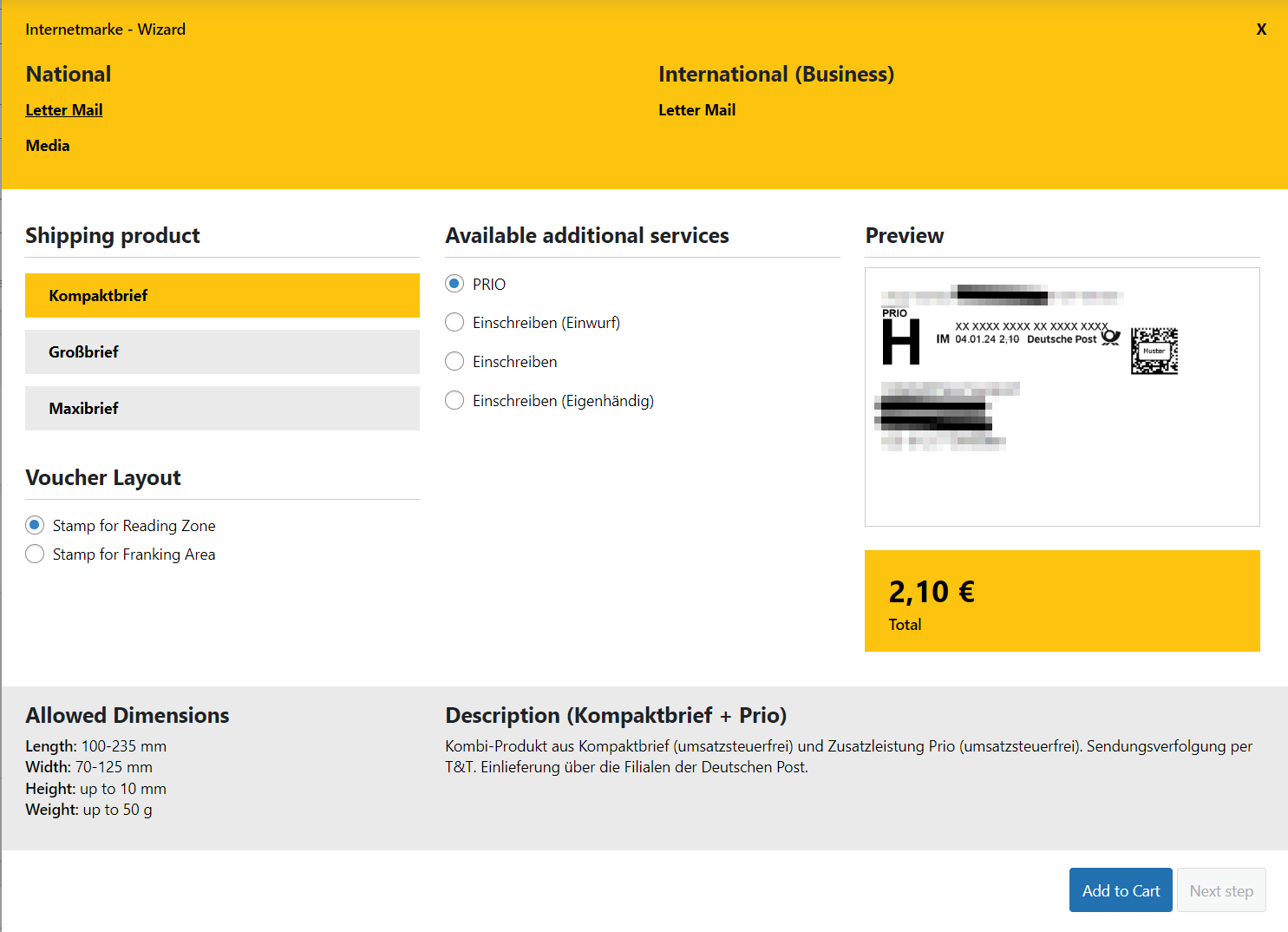

Internetmarke
Permalink Internetmarke
The configuration for the “Deutsche Post Internetmarke” can be adjusted in the in the following settings.
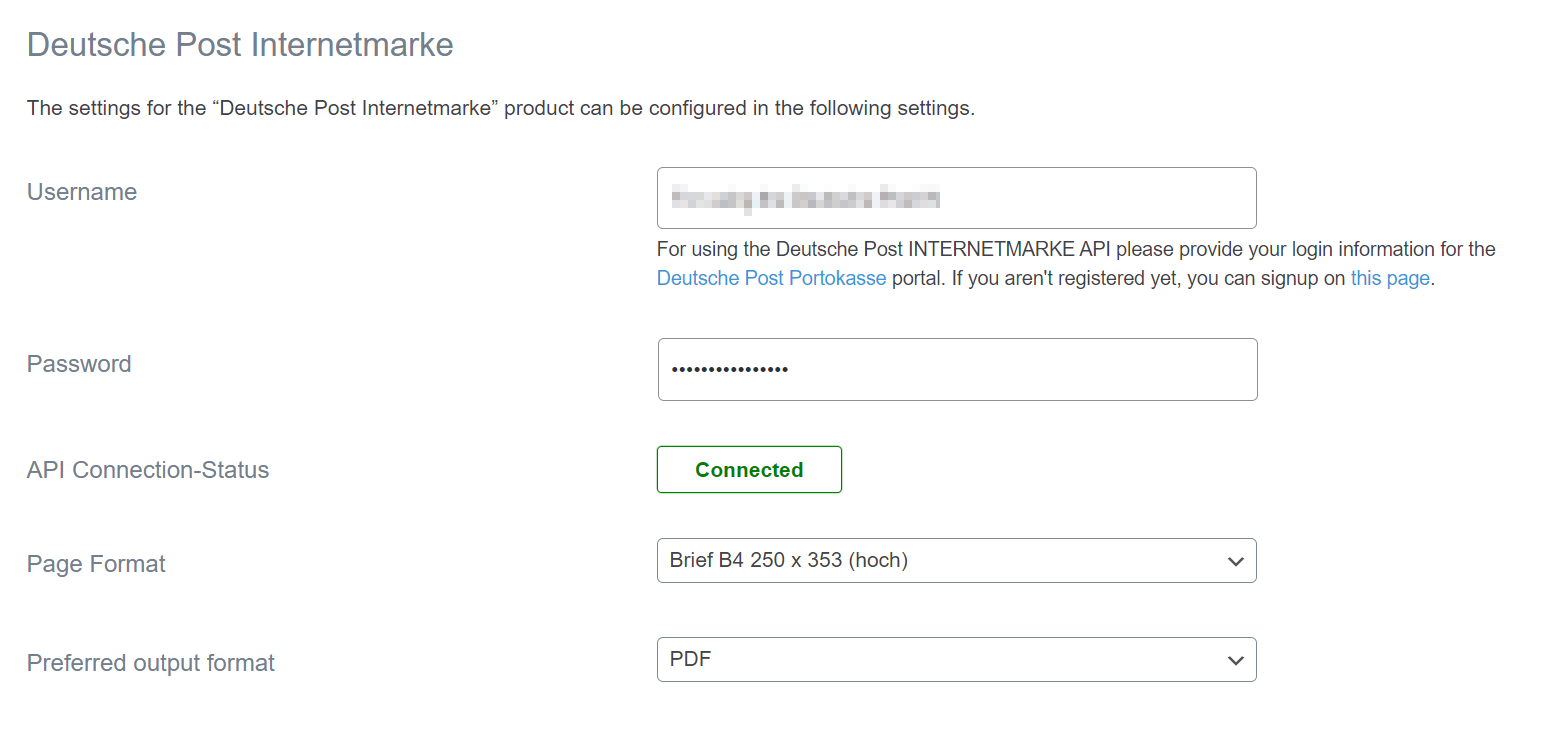
To use the Deutsche Post INTERNETMARKE API, enter your credentials for the Deutsche Post Portokasse portal. If you’re not yet registered, sign up at this link.
Permalink Internetmarke Wizard
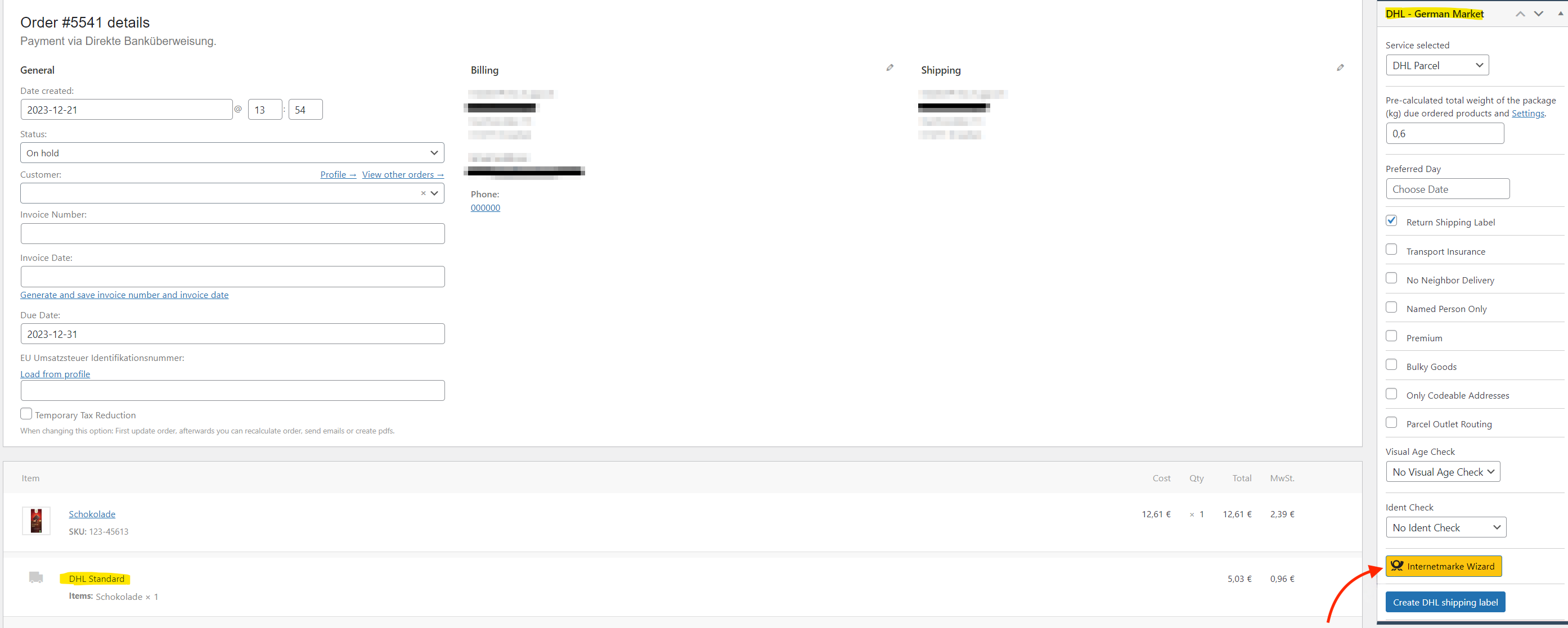
If “DHL standard” has been selected as the shipping method, the wizard for the Internetmarke is available in the order under “DHL – German Market”.
If the login data has been entered correctly in the settings (WooCommerce -> German Market -> DHL shipping -> Internetmarke), the wizard can be used to generate Internetmarke/stamps for the order.